
Article Contents ::
- 1 Step By Step Tutorial How to Format All Nokia 1000-Series Mobiles hard reset Code ::
- 2 Cautions Before The Format Soft or Hard Reset ::
- 3 Complete List of Nokia 1000-Series All Mobile List ::
- 4 How to Format All Nokia 1000-Series Mobiles All hard reset Code
- 5 Warning! for Format & Reset
- 6 Nokia 1000-Series hard reset
- 7 Nokia 1000-Series Master reset for Nokia 1000-Series Mobiles
Step By Step Tutorial How to Format All Nokia 1000-Series Mobiles hard reset Code ::
Cautions Before The Format Soft or Hard Reset ::
- For Completing the Format Nokia 1000-Series soft reset or hard reset Code Process it took some time to complete so First charge your battery to 100% full,
- backup your important data if possible and in most cases take out SIM and SD card. Because your data cant be recovered from phone if once lost during the reset process.
- SuperGeek Suggest Backup from your Nokia 1000-Series For all of your data, a backup should be done on an external device, hard drive, raid system or media.
- Because It is impossible to recover your data from your Formatted Nokia 1000-Series soft reset ,after doing a Format or hard reset, so online backup is always important.
- So keep backup first
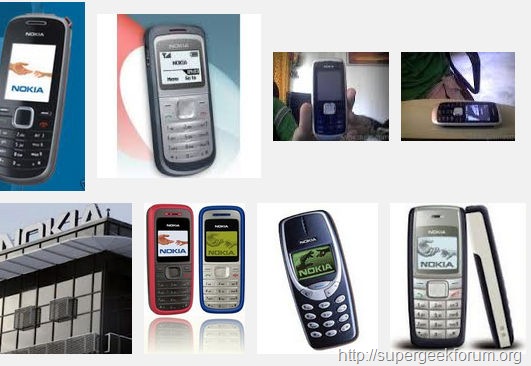
Step By Step Tutorial How to Format All Nokia 1000-Series Mobiles hard reset Code
Complete List of Nokia 1000-Series All Mobile List ::
Nokia 1000 series ,Nokia 1011 ,Nokia 1100/1101 ,Nokia 1110/1110i ,Nokia 1112 ,Nokia 1200 ,Nokia 1208,Nokia 1600 ,Nokia 1610 ,Nokia 1616 ,Nokia 1650 ,Nokia 1680 classic,
How to Format All Nokia 1000-Series Mobiles All hard reset Code
Warning! for Format & Reset
- It’s all your responsibility to Hard Reset or Format or Root or Unlock your Nokia 1000-Series phone we are not responsible for any kind of loss to you or your Mobile.
- By performing “Factory Reset“, all user data will be ERASED. You MUST took a proper backup PRIOR to running factory reset & Web update.
- If your Format Nokia Asha-Series hard reset isn’t responding
Nokia 1000-Series hard reset
Nokia 1000-Series Master reset for Nokia 1000-Series Mobiles
- 1)Enter Code:: *#7370#, then enter 12345 (This is the default security code unless the user has changed it) and then Yes.
- This option restores the .ini files from the ROM.
- Does not erase data (photos, videos, documents) or applications from a third party.
- Key Code:: *# 7780 # then enter 12345
- Some Nokia phone can be reset via this menu option
- Press menu button or enter Menu > Settings > Phone > Phone management > Factory settings > Delete data and restore > YES
- The phone then wipes all apps and phonebook contacts on the internal memory.
- Press and hold * + call + 3 + power on for 8-10 sec (e.g.,Nokia 1000 series ,Nokia 1011 ,Nokia 1100/1101 ,Nokia 1110/1110i ,Nokia 1112 ,Nokia 1200 ,Nokia 1208,Nokia 1600 ,Nokia 1610 ,Nokia 1616 ,Nokia 1650 ,Nokia 1680 classic, ,etc. )
- Restore Factory Original Settings Nokia Asha
- End all calls and connections.
-
- Select Menu > Settings and Rest. fact. sett. > Settings only.
- Enter the security code >>>> default lock code :: 12345.
All Nokia 6000-Series hard reset Code device is formatted perfectly without any problems. In case if you find any issues with above procedure comment here. SuperGeekForum will try to solve your problem.